


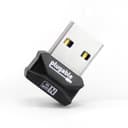



Price includes VAT
QTY

Price includes VAT
Category: Computing > PC Components > Network Cards
With fulfilment centres all over the UK, every order is picked, packed, and on its way fast.
Excellent price, easy to order on the website, quick delivery (paid as I needed it quickly but if I hadn’t it was free), well packaged, bought as a gift and recipient very happy
 Samsung Galaxy Tab A11+ 11" 6GB 128GB Wi-Fi - SilverNew
Well ive had the phone for a week or so and all good. Delivery was quick and pricing competitive
 Motorola Moto G86 5G 256GB 8GB RAM Smartphone - SpellboundNew
I 'needed' a new phone and A1 Tech offered my choice at a very good price. Buying on-line was straightforward. Communication was excellent and the phone arrived exactly as promised. I also bought a charger which came a couple of days later, but that was fine.
 Samsung Galaxy A17 4G 128GB 4GB RAM - Light BlueNew · + 1 more item
Fab company. Had exactly what I wanted. 30% cheaper than anyone else. Super fast delivery. 100% recommended
 Samsung Galaxy S25+ 512GB - Icy BlueNew
The Service was fast and efficient. I got exactly what I ordered at a good price and am a happy customer.
 Samsung Galaxy A27 5G 8GB RAM 256GB - BlueNew
Good service, delivery quick, goods arrived in good condition and well packed. Very good price.
 Samsung Galaxy S25 Edge 256GB - Titanium SilverNew
First time heard and ordered from this company and have to say everything went as good as it could The item was cheaper on here than anywhere else at the time They kept me informed about the delivery and it arrived when they said
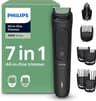 Philips Multigroom 3000 Series 7-Piece Trimmer MG3930/15 - BlackNew
excent service i ordered a phone and in less than 24 houres it arrived i wil definately be a return customer A1 tech deals
 Samsung Galaxy A56 5G 256GB 8GB RAM - Awesome GraphiteNew · + 1 more item
Easy-to-use website, great prices and my iPhone 17 was delivered very quickly. Will definitely use again in the future.
 Apple iPhone 17 256GB Mist BlueNew
Great service, quick delivery and exactly as described. Not used the phone yet as, being brand new and a gift for my wife, it's not yet been used, but it looks great.
 Samsung Galaxy S23 Ultra 5G 256GB 12GB RAM - GreenNew
Fantastic company, prices are always great and very competitive. Ordered a few things now and delivery is always really quick. Kept up to date with order tracking and packaged well and safely. Products are exactly what they say they are.
 Samsung Galaxy Buds Core Wireless Earbuds WhiteNew
Item arrived very quickly and i was kept up to date regarding the progress of my parcel. It was well packaged and exactly as described.
 PlayStation DualSense Controller Galactic PurpleNew